
How to Redeem Codes in 100 Miles Down the River (Roblox)
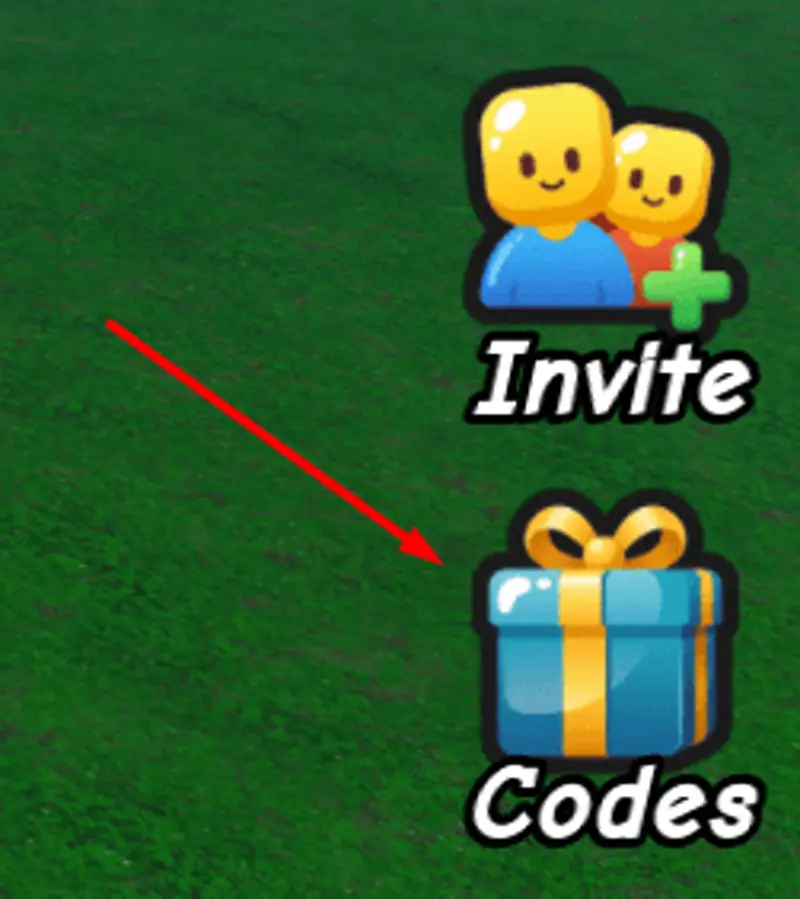
The Codes button is on the right side of the HUD inside the game. You cannot redeem codes from the Roblox website.
Last checked:
Redemption Steps
Complete these steps inside the Roblox game, not on the website.
- Launch 100 Miles Down the River on Roblox and join a server.
- Look at the right side of your screen for the Codes button in the HUD.
- Click the Codes button to open the input panel.
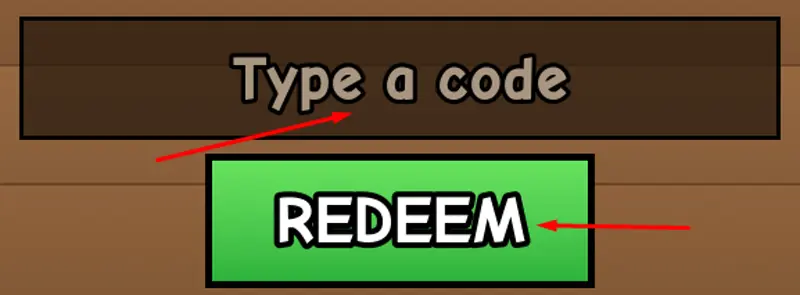
- In the Type a code field, type your code exactly as shown — codes are case-sensitive.
- Press REDEEM.
- Check your Embers balance or pet inventory to confirm the reward arrived.
Troubleshooting
If the code returns an error or nothing happens:
| Problem | Likely Cause | Fix |
|---|---|---|
| Error on correct code | Already redeemed on this account | Each code works once per account |
| Codes button missing | Game UI not loaded yet | Rejoin the server; wait for full load |
| "Invalid code" error | Case error or extra space | Retype carefully in ALL CAPS, no spaces |
| Button missing after rejoin | Cause not established | Compare current announcements and the source screenshots |
Important Notes
Codes are case-sensitive. Type RIVER100, not river100.
You can redeem each code once per Roblox account. The source lists codes for redemption on your own account.
The separate wiki guide reports the same account-based process on PC and mobile (1 source for device coverage).
Do not use third-party "code generator" websites. They do not generate valid codes and many attempt to steal Roblox accounts.
Frequently Asked Questions
Where is the Codes button?
On the right side of the HUD while you are inside the game. It is not on the Roblox website or the game's store page.
Can I redeem codes before casting off?
The Codes button appears in the game HUD. Sources do not confirm whether you need to cast off first; try it as soon as you load in.
Do codes work on mobile?
The separate wiki guide reports the same HUD process on supported mobile devices (1 source for mobile coverage).
One source said the redeem menu was unconfirmed — is this page accurate?
9to5Gaming gives generic menu instructions rather than screenshots. Two other independent sources (RobloxDen with screenshots and 100milesdowntheriver.wiki) describe the HUD Codes button in matching detail, so we use their account. See the Sources section.